Broken Access Control
Hello everyone, how are you doing? How has your coding journey been so far? I hope everything is going well on your side. Let me give you a short overview of what we will be doing this week. We will first start with the theoretical part and understand how access control works in applications and how it can be dangerous if it remains broken. We will take a look at the top ranked vulnerability, Broken Access Control, which was ranked #1 in OWASP 2021 and is still ranked #1 in OWASP 2025. We will examine how access to data and functionality is controlled on websites and how this can be done in a simple and secure way.
We are going to start by getting to know the two types of authorization. This will help us understand where things can go wrong. We will then move on to something called role based access control, which is a commonly used security control that provides structure to how authorization works on a website. Finally, we will look at a common way in which access control can be broken in vulnerable web applications. We will use this as a basis to understand how to implement proper role based access controls.
And the next part will be practical. As we have been doing in previous weeks, working on a vulnerable web application by breaking the vulnerability and then making it secure by reviewing the insecure code and replacing it with more secure code. So far, we have a basic idea of reviewing and writing Django code, and we have mostly been focused on the defensive side of security.
But this time, I want to change, and add something new. I want us to do some CTF (Capture The Flag) style practice to understand why secure coding matters and how code can be broken in a more practical way. The benefits of this approach are that you will learn real world attacks on websites from an offensive security perspective, and it will also help prepare you for CTF competitions.
For this purpose, I have chosen Pygoat. Pygoat is an intentionally vulnerable web application built with Django to practice web application security. It covers the OWASP Top 10 vulnerabilities, and even more. This is an excellent resource for learning and hands on practice. It will be fun.
Let’s start…
What is Broken Access Control
A broken access control vulnerability occurs when an application fails to properly enforce authorization, allowing users to access resources, data, or perform actions they are not permitted to. This is one of the most critical web application security risks, ranked as the #1 threat in the OWASP Top 10 list. It can result from inadequate session management, improper role based access controls, insecure direct object references (IDOR), or missing access control checks in application logic. Attackers exploit these flaws through methods like URL manipulation, API endpoint abuse, session hijacking, or privilege escalation, potentially gaining unauthorized access to sensitive information or administrative functions. Lets understand how access control works.
Authorization
We have three key components which can be used to describe access. The first is known as the subject, and this is typically the user on your website, some entity that makes requests to your server. So, any user that logs into a web application is the subject.
Then, we have got the object. This is the target of the requests. What sort of data is the subject trying to interact with? In a typical web application, some of the objects might be user accounts, records, files, or any other data stored in the system.
Finally, there are actions. What action is a subject trying to perform on an object? Common actions are add, update, and delete, although you are not limited to the basic verbs for what you can do with data. It is just as valid to have actions such as export, connect, or shut down.
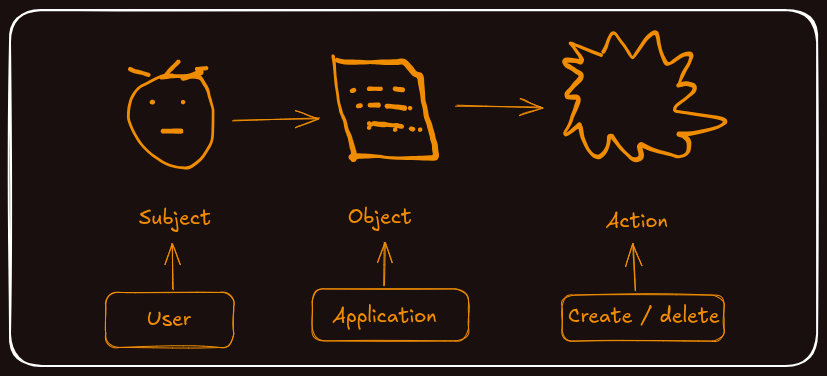
A simple example of subject object action in a web application defines what one of our users might be allowed to do. For instance, a regular user would be able to interact with their own data records. One of those actions should certainly be to create new records. So, our subject object action says that a regular user can create a record. This is just one of the many objects that a regular user might be able to perform actions on.
Access Control
First, we want to look at the types of access control we are likely to need in a website. We have got two categories, and the first is horizontal access control. This looks at ensuring there is separation between the data that belongs to users. In web applications, users should have access to their own data, but not data belonging to others. Then there is vertical access control. This looks at different roles being performed by users of a website to ensure a user only has access to the functionality that they should have access to.
Horizontal Access Control
Looking more closely at horizontal access control, this is typically where two users in the same role have access to the same type of data, but some of it will belong to one user and some to another. We need a control in place to make sure one user cannot see or alter another user’s data. This usually takes the form of a check to ensure the user has some ownership over the data before they can access it. We call it horizontal because users appear at the same permission level or have the same role within the website.
Vertical Access Control
Vertical access controls target different functionality. Here we are looking at control for different roles or types of users on the website. Some users are administrators and so should be able to access functionality on the website that a regular user should not be able to access. This brings us back to subject object action.
Comparing a subject who is an administrator with one who is a regular user, what different functionality should they be able to access? So when we say vertical access control, we are restricting the functionality according to the role a user has on the website.
Role Based Access Control (RBAC)
Role based access control (RBAC) is an incredibly useful tool for any website that has more than just one role for its users. When we say role, we mean that some users who log in to the website are using it for different purposes to other users, for example, administrators and regular users. RBAC is a control that focuses on those roles and helps to segregate the functionality that they will be accessing. In web applications, we will be assigning roles to users and defining what those roles should be allowed to access. This means we can, if we want, change, add, or remove roles from users, even assigning multiple roles to a single user if we wanted to.
A key part of this is to aim for simplicity. The job that a role performs on your website should be clear, and that role should have a very specific set of responsibilities, which are reflected in the permissions that it is given. When it comes to implementing role based access controls, we are using subject object action to state what a role can do. Each role consists of multiple records to see what objects it can use and the actions that it can perform.
If there is not a record to say that a role can do something, then it will not be allowed to do it. What might that look like? Here is a matrix to show us. We have got roles that might appear in a web application: Admin, Staff, and User. Each role represents a set of functionality required to do a job. As an admin, we might be responsible for adding users, so we would have a record saying we are allowed to do that. The admin will also be allowed to delete users. Notably, no other users can do these things, so will not be allowed to access parts of the website that perform those functions.
Next, we have got Add Record, a function that a typical user should be able to perform. Then, Edit Record. A member of staff might want to edit user records, and users should be able to edit their own records too. Finally, there might be a processing function that handles and reports on all data, and it is the responsibility of people in the staff role to run that. Any user can be assigned multiple roles, so a user in the staff and admin roles would get the permissions associated with both of them.
Common Access Control Vulnerabilities
There are several common ways that access control can be broken in web applications. Let us look at some of the most frequent issues:
Violation of Least Privilege: This occurs where access should only be granted for particular capabilities, roles, or users, but is available to anyone. Instead of denying access by default and only granting it when necessary, the application grants broad access and hopes users will not discover functionality they should not have.
URL Manipulation and Force Browsing: Attackers can bypass access control checks by modifying the URL, changing parameters, or directly browsing to pages they should not have access to. Even if a link is not visible in the user interface, if the URL is accessible, the access control is broken.
Insecure Direct Object References: This vulnerability allows users to view or edit someone else’s account by simply providing its unique identifier. For example, changing a user ID in a URL from 123 to 124 to access another user’s data.
Missing Access Controls on API Methods: Applications may have proper access controls on the user interface but forget to implement them on the API level. This means POST, PUT, and DELETE operations might be accessible without proper authorization checks.
Elevation of Privilege: This occurs when users can act as someone they are not. For instance, acting as a user without being logged in, or acting as an admin when logged in as a regular user. This often happens through manipulating session data or cookies.
CORS Misconfiguration: Cross-Origin Resource Sharing misconfigurations can allow API access from unauthorized or untrusted origins, effectively bypassing access controls.
Lab Time + Setup
It is time to do some practice. First, we will set up the lab environment to understand security issues in a safe and controlled environment by hacking the Pygoat web application. There are three labs officially provided by Pygoat to practice Broken Access Control, and we will go through them.
Clone the PyGoat repository from GitHub:
git clone https://github.com/adeyosemanputra/pygoat.git
Go to pygoat directory
cd pygoat
Install the required dependencies. We will need Python 3.9 and PostgreSQL development libraries:
# Update package list
sudo apt update

# Install Python 3.9 and required packages
sudo apt install python3.9 python3.9-venv python3.9-dev
sudo apt install libpq-dev build-essential libnss3-tools

# Verify Python installation
python3.9 --version

# Create virtual environment with Python 3.9
python3.9 -m venv pygoat_env

# Activate the virtual environment
source pygoat_env/bin/activate

# Upgrade pip
pip install --upgrade pip

# Install PyGoat requirements
pip install -r requirements.txt
Once the installation is complete, apply the database migrations:
python3 manage.py migrate
Now run the development server:
python3 manage.py runserver
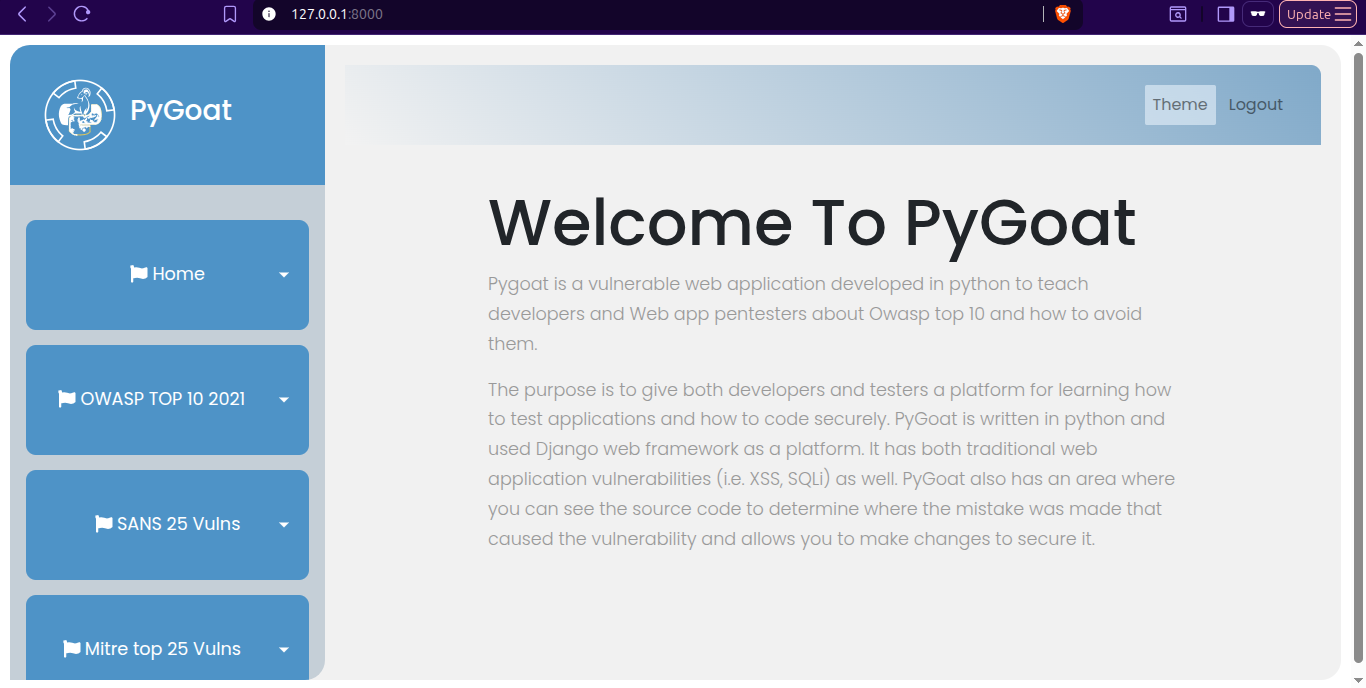
The application will be available at http://127.0.0.1:8000. You can log in using the default credentials: jack:jacktheripper.
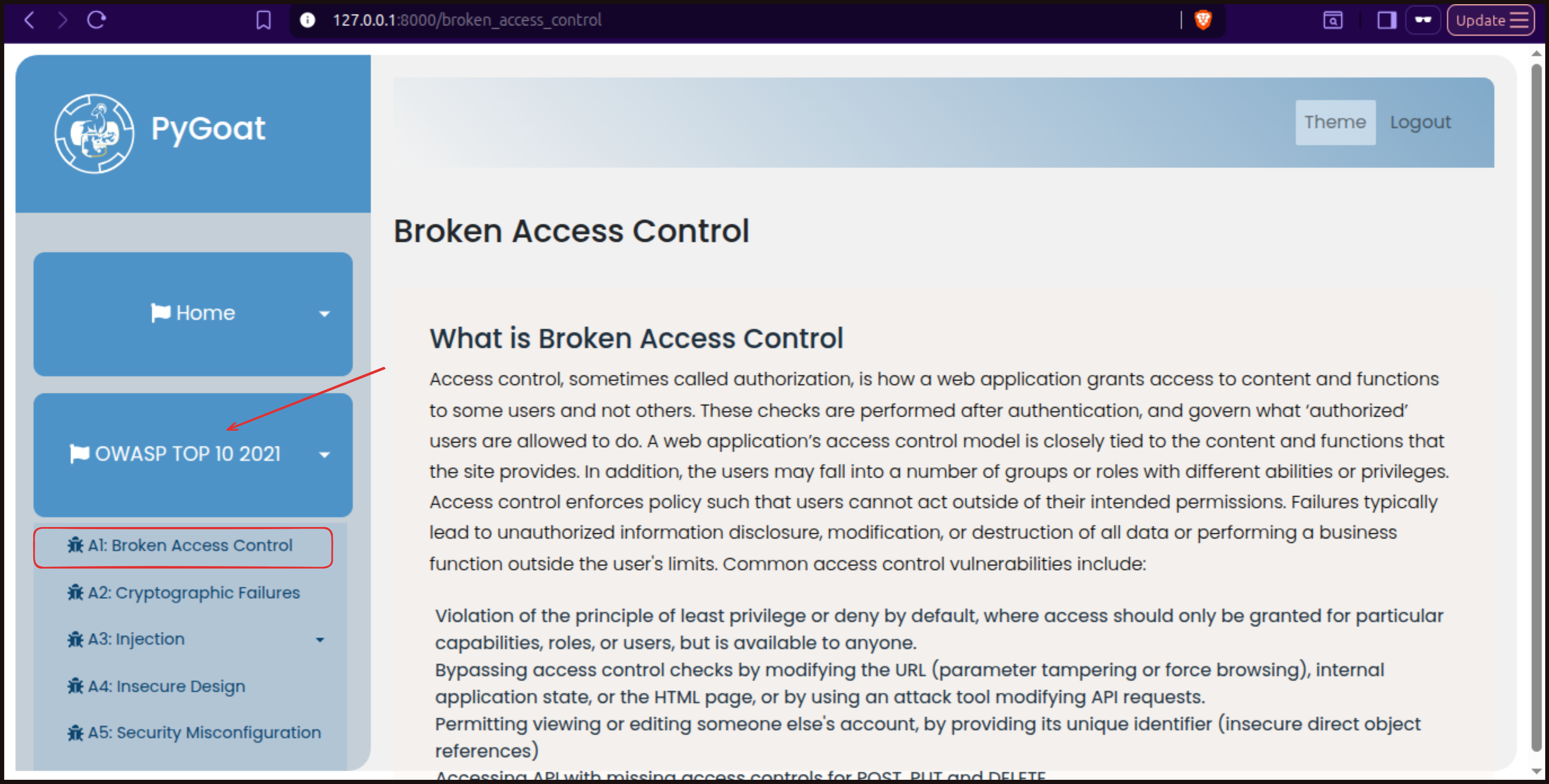
After logging in, navigate to the OWASP Top 10 2021 section and select Broken Access Control to access the labs.
Lab #1 Cookie Manipulation for Privilege Escalation
In this first lab, we will explore how attackers can manipulate cookies to gain unauthorized access. This is a common form of broken access control where privilege levels are stored in cookies that can be easily modified by users.
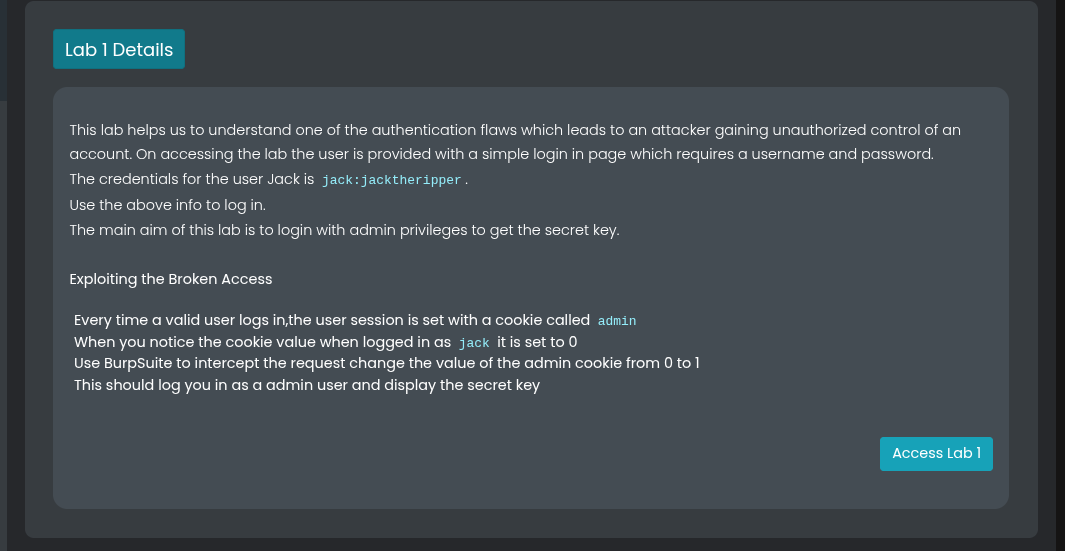 The scenario is simple. We are logged in as a normal user named Jack with the credentials
 jack:jacktheripper. As a normal user, we do not have access to view secret keys that are reserved for administrators. However, we will discover that the application stores the admin status in a cookie with a value of 0 for normal users and 1 for administrators. (we have discussed this values in previous post week 8).
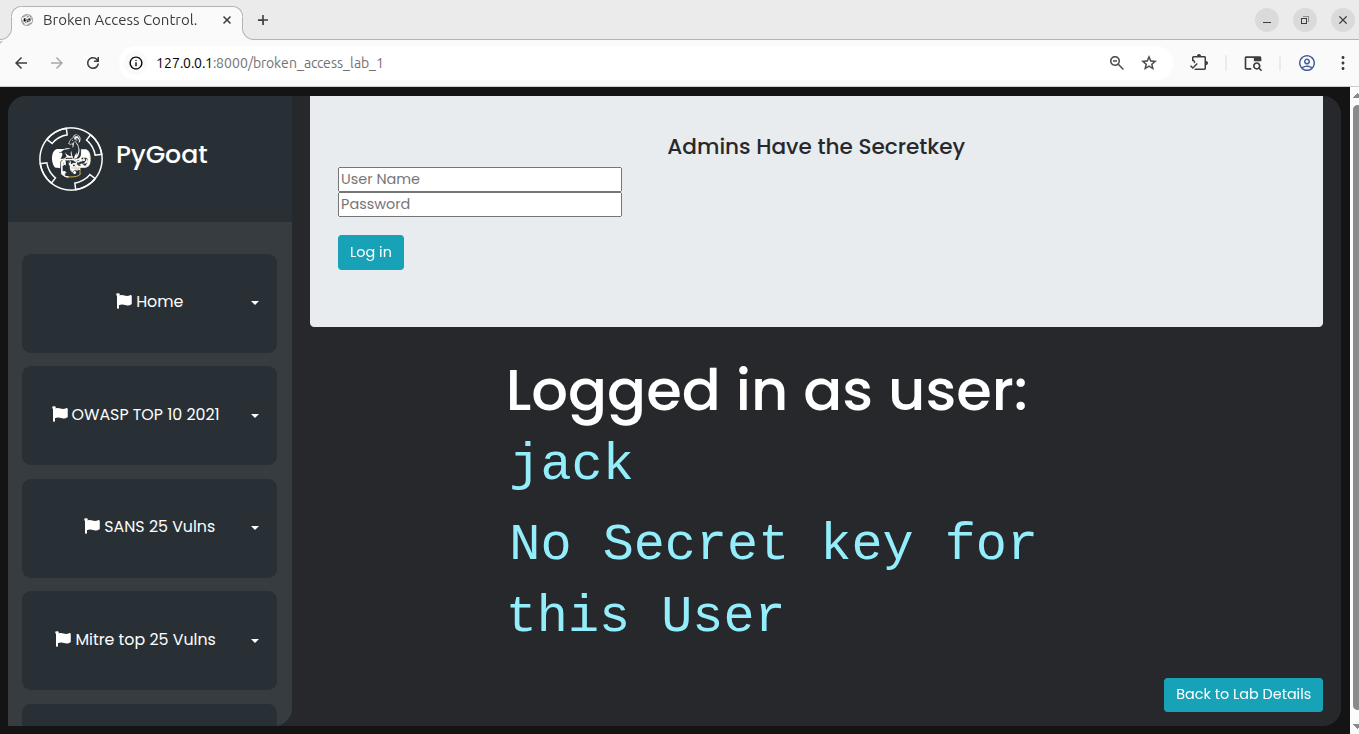 To exploit this vulnerability, we will use Burp Suite, a popular web application security testing tool. Make sure you have Burp Suite installed and configured. You can either use the built-in Burp browser or configure your regular browser to proxy requests through Burp Suite.
First, access the lab and log in with the provided credentials. You will notice that as a normal user, you cannot see the secret keys. Now, open Burp Suite and turn on the intercept feature. Refresh the page in your browser. Burp Suite will intercept the request before it reaches the server.
Now here just refresh the page and then see the intercept and change admin cookies value from 0 to 1 and then click forward.
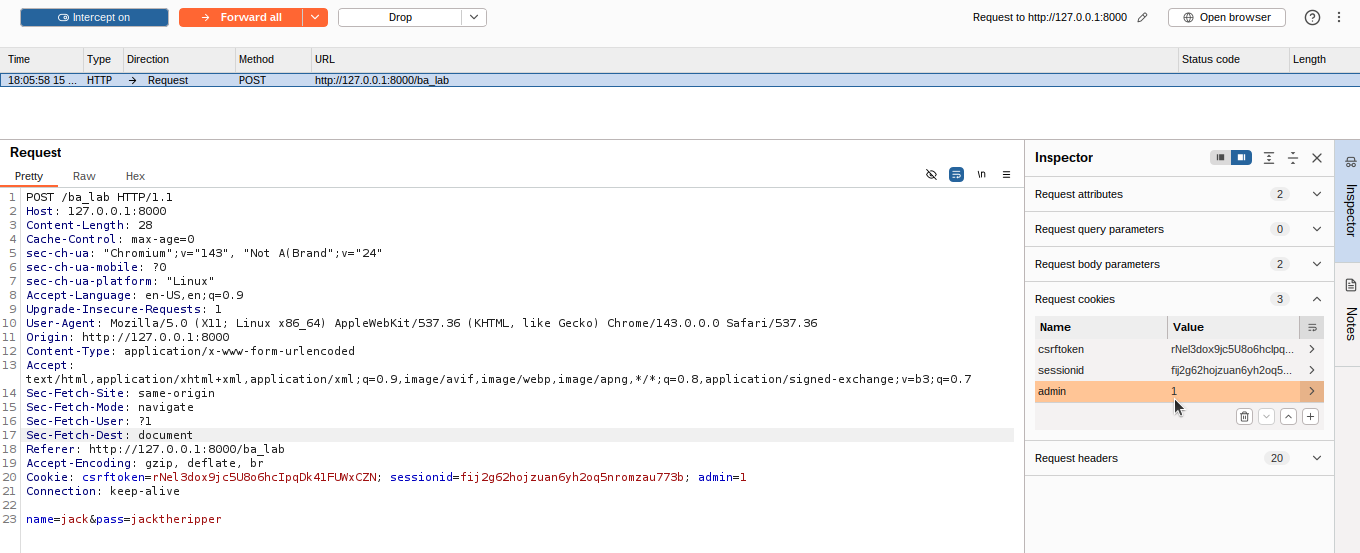 In the intercepted request, look for the admin cookie. You will see it has a value of
 0, indicating that you are not an administrator. Change this value from 0 to 1. This tells the application that you should be treated as an administrator. Click forward to send the modified request to the server.
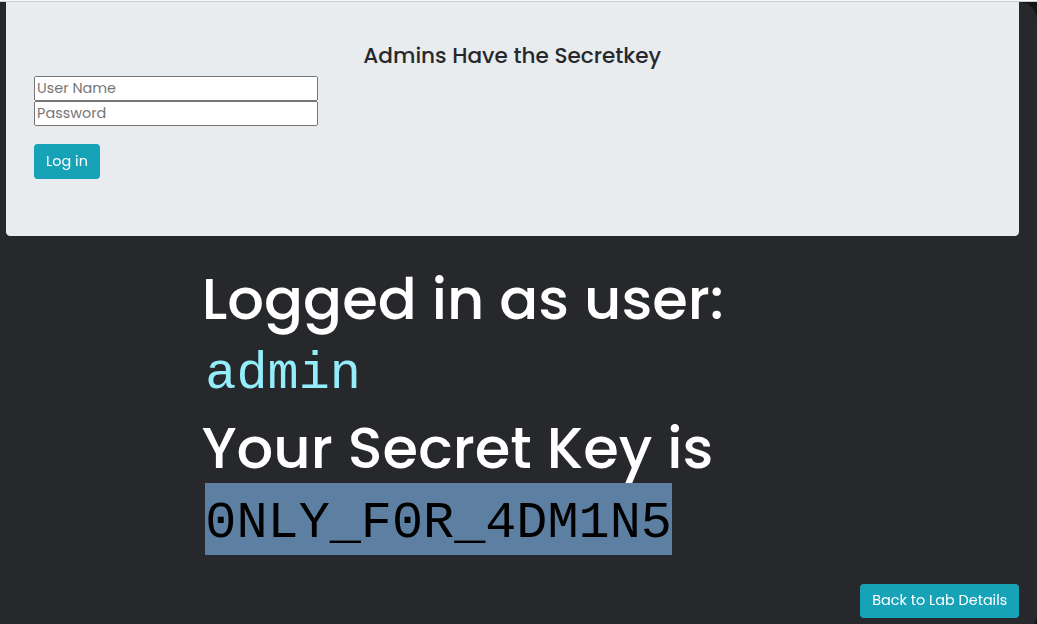
You can now turn off the intercept or forward all remaining requests. When the page loads, you will see that you now have access to the secret keys that were previously hidden. This demonstrates how inadequate access control checks can be bypassed through simple cookie manipulation.
Mitigation
- Using proper Session management techniques
- Using Tokens such as JWT to authorize the users.
- Unless a resource is intended to be publicly accessible, deny access by default
- Thoroughly audit and test access controls to ensure they are working as designed
Lab 2: User Agent Manipulation
The second lab demonstrates another common broken access control issue where applications make authorization decisions based on HTTP headers that can be easily modified. In this case, the application checks the User-Agent header to determine if a user should have admin privileges.
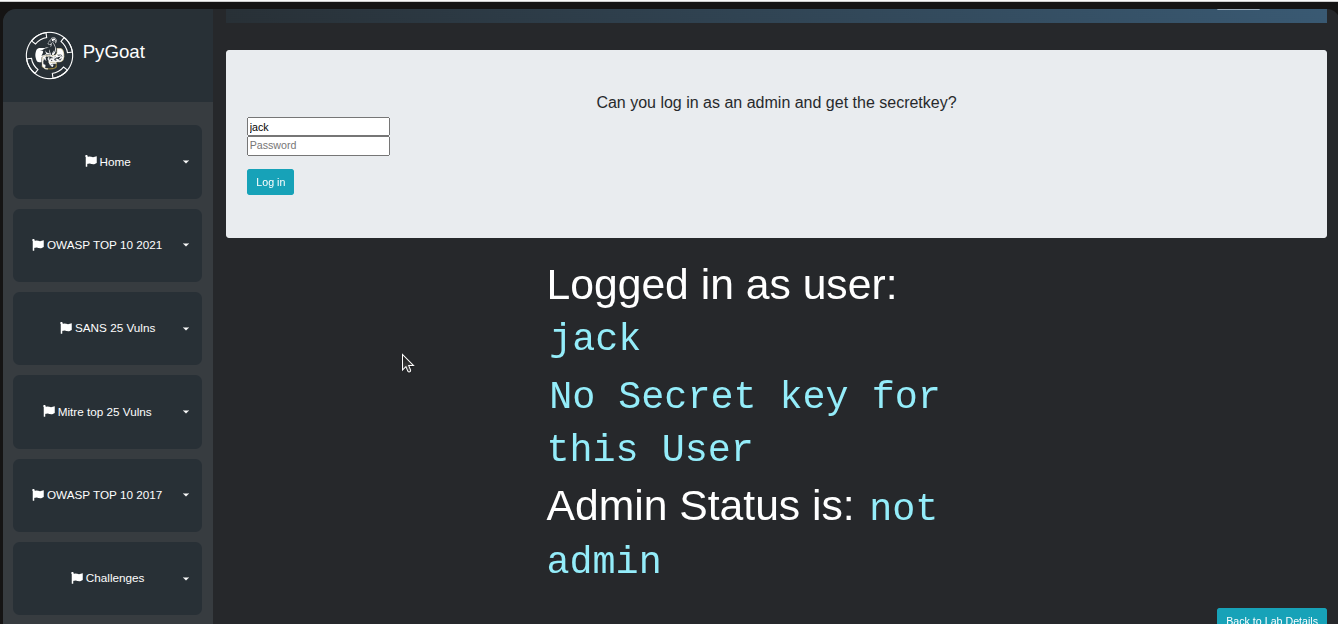
Log in again (in lab 2) using the credentials jack:jacktheripper. You will find that you do not have admin functionalities and cannot access the secret key. However, if we inspect the page source code, we might find helpful comments left by developers during the development process. These comments can reveal important information about how the application works. (Note: it cannot be always the same scenario in real world apps).
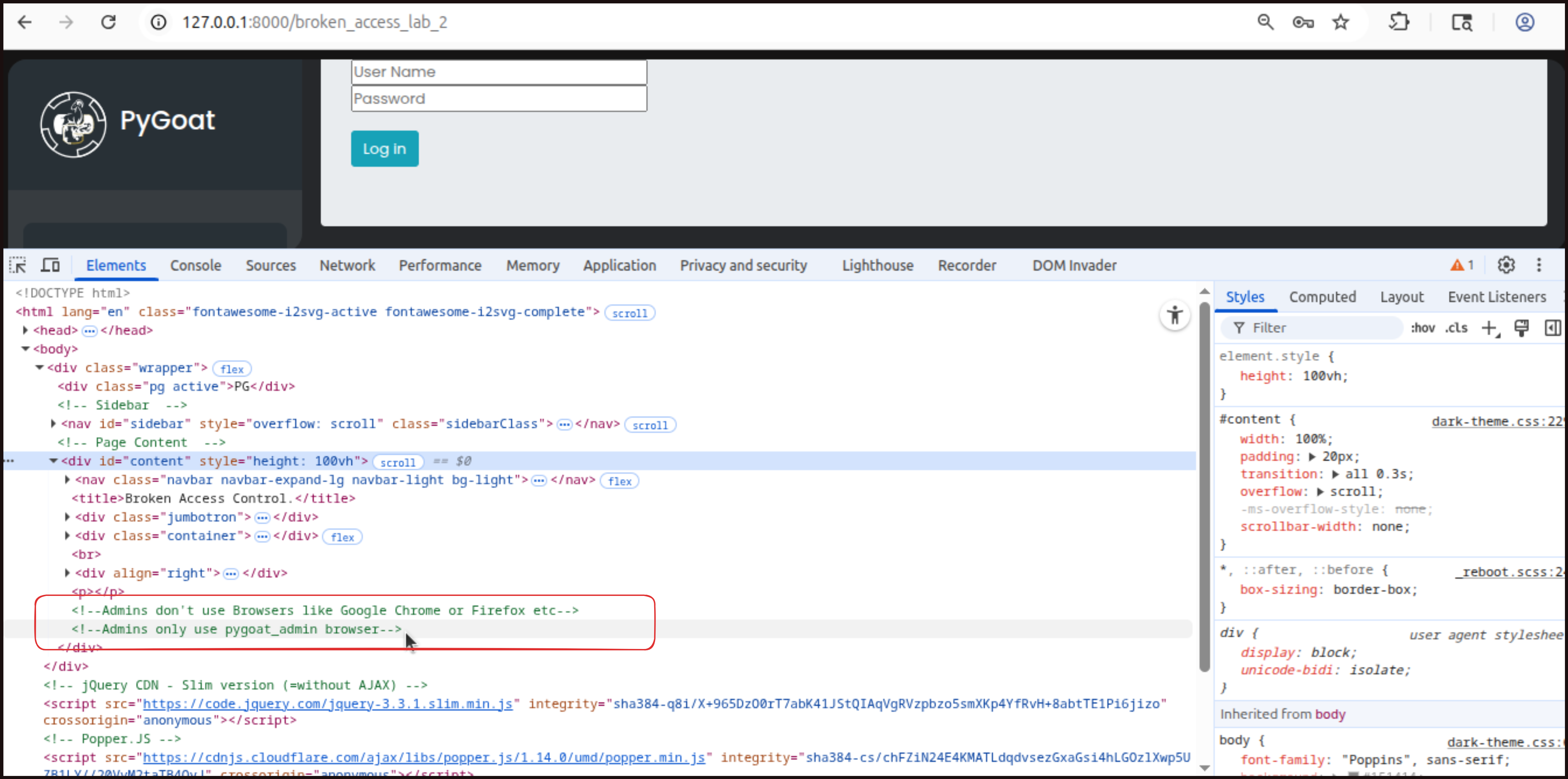 In this lab, the source code reveals that the application expects a User-Agent value of
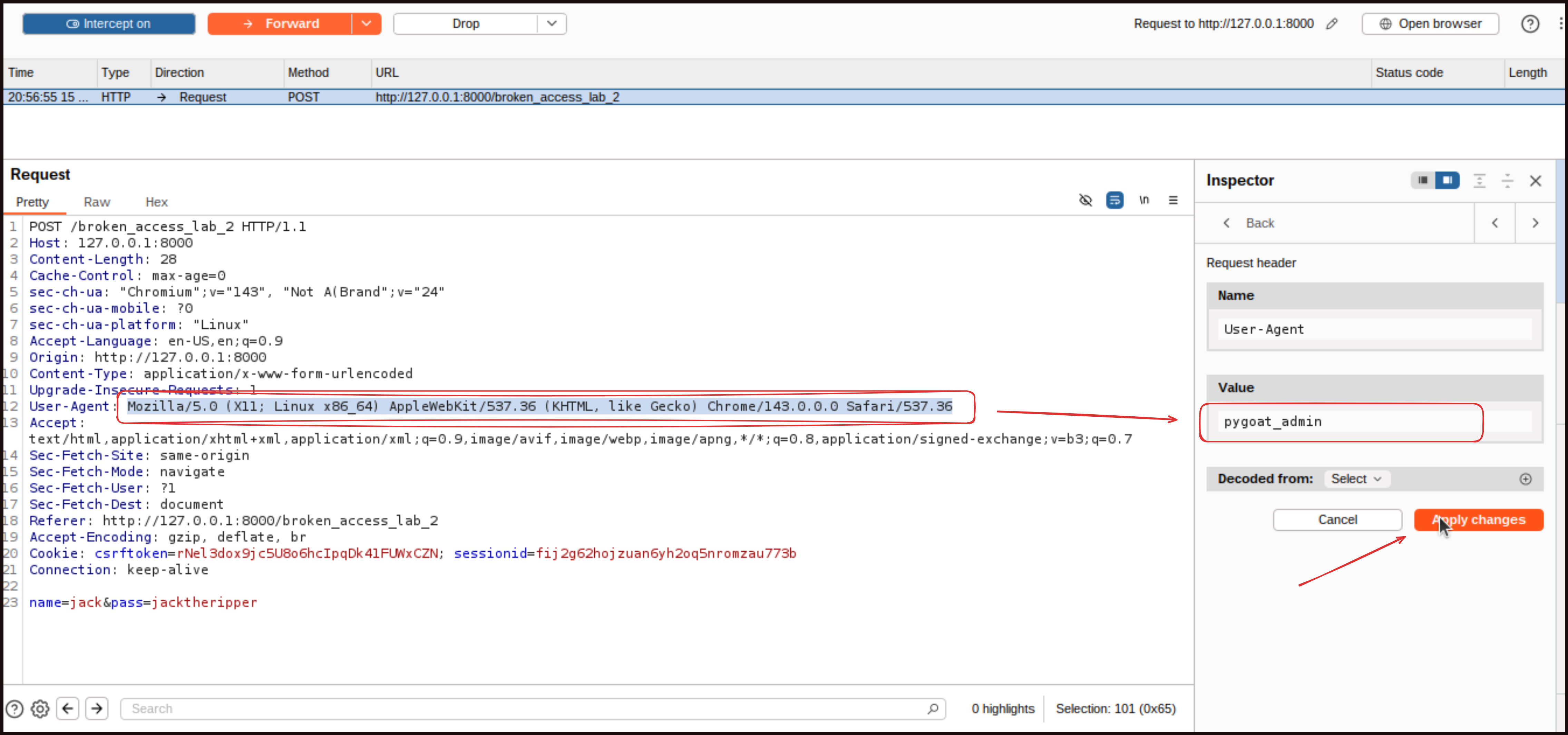
 pygoat_admin for admin access. To exploit this, we will again use Burp Suite to intercept the request. This time, instead of modifying cookies, we will modify the User-Agent header.
I am logged in with the given credentials but I have no privileges to admin functionalities. But i need it to access the secret key.
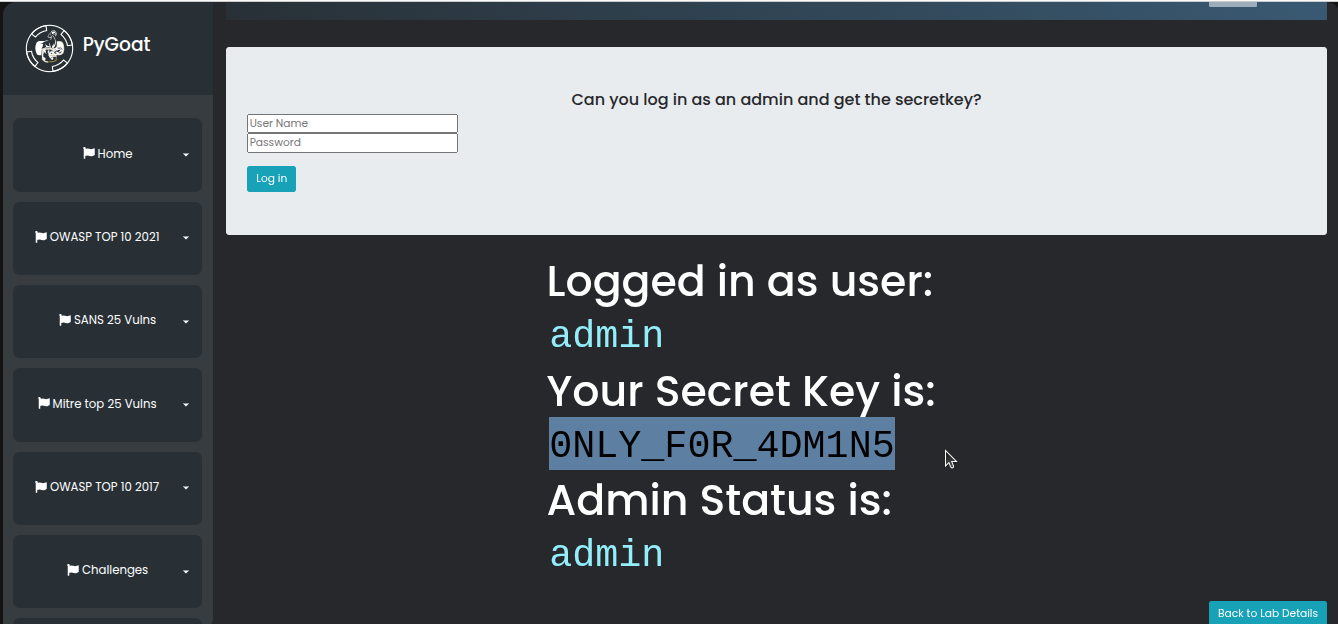
Turn on intercept in Burp Suite and refresh the page. When the request is intercepted, locate the User-Agent header. Change its value to pygoat_admin. Forward the request and turn off the intercept. The page will now load with admin privileges, and you will be able to see the secret key.
your flag / secret key is here:
 This vulnerability demonstrates why applications should never rely on client-controlled data like HTTP headers for making security decisions. Any information sent from the client can be manipulated by an attacker.
Lab 3:
I would encourage you to complete Lab 3 on your own. It follows similar principles to the first two labs and is designed to be beginner friendly. Practicing these techniques will help solidify your understanding of broken access control vulnerabilities and how they can be exploited.
Proper Access Control + Mitigation Strategies
Below, I have collected and summarized some mitigation strategies in simple points from different sources, such as OWASP. Understanding how access control can be broken is only half the battle. We also need to know how to implement proper controls to prevent these vulnerabilities.
Deny by Default: The most fundamental principle of access control is to deny access by default. Unless a resource is explicitly intended to be publicly accessible, it should require proper authorization. This means that every function and piece of data should have access control checks in place.
Implement Centralized Access Control: Create access control mechanisms once and reuse them throughout your application. This ensures consistency and makes it easier to maintain and audit your security controls. Avoid implementing access control logic separately in different parts of your application, as this increases the risk of missing checks or implementing them incorrectly.
Enforce Record Ownership: Your access control model should enforce record ownership rather than accepting that users can create, read, update, or delete any record. Always verify that the user requesting access to a resource actually owns that resource or has been explicitly granted permission to access it.
Implement Proper Session Management: Use secure session management techniques to prevent session hijacking and manipulation. Sessions should be securely generated, stored, and validated. Never store sensitive authorization information like admin status in cookies that can be easily modified by users. Instead, store such information on the server side and reference it through secure session identifiers.
Use Token-Based Authorization: Implement proper token-based authorization mechanisms such as JSON Web Tokens (JWT). When using JWTs, ensure they are short-lived to minimize the window of opportunity for attackers. For longer lived tokens, follow OAuth standards to enable token revocation. Always validate tokens on the server side and never trust client-provided authorization claims without verification.
Validate on the Server Side: Never rely on client-side controls or client-provided data for making authorization decisions. All access control checks must be performed on the server side where they cannot be bypassed by the user. This includes validating HTTP headers, cookies, and any other data that comes from the client.
Minimize CORS Usage: Be very careful with Cross-Origin Resource Sharing (CORS) configurations. Only allow access from trusted origins and avoid using wildcard configurations that allow any origin to access your APIs. Misconfigured CORS can completely bypass your access controls.
Disable Directory Listing: Ensure that web server directory listing is disabled. This prevents attackers from browsing your file structure and discovering files that should not be publicly accessible. Also ensure that metadata files like .git directories and backup files are not present within web roots.
Enforce Business Logic Constraints: Implement unique application business limit requirements through domain models. This means that access control should not just check if a user can perform an action, but also whether that action makes sense in the context of your business logic.
Implement Logging and Monitoring: Log all access control failures and set up alerts for administrators when appropriate. Repeated access control failures might indicate an attempted attack and should be investigated. This logging also helps in identifying weak points in your access control implementation.
Rate Limiting: Implement rate limiting on APIs and controllers to minimize the harm from automated attack tools. This prevents attackers from rapidly testing different access control bypass techniques.
Invalidate Sessions Properly: Stateful session identifiers should be properly invalidated on the server after logout. Simply deleting the session cookie on the client side is not enough, as the session must be destroyed on the server to prevent it from being reused.
Regular Security Testing, Code Review and Security Training: Thoroughly audit and test your access controls to ensure they are working as designed. This should include both manual testing and automated security scanning. Pay special attention to testing with different user roles and attempting to access resources that should be restricted. Conduct regular code reviews with a focus on access control implementation. Ensure that your development team understands access control principles and common vulnerabilities. Security should be considered throughout the development process, not added as an afterthought.
For more details, read here: https://owasp.org/Top10/2021/A01_2021-Broken_Access_Control/index.html
Alright everyone, that’s it for this week. Thank you for being with us. We have come so far, and it is almost the end of our course, with just a single post remaining in our 12 week series. We will also perform the same CTF style labs to explore another vulnerability in our next post, so stay tuned and make sure to practice. If you have any questions, recommendations, or if you find any misinformation in the blog and would like to report it to me, please feel free to reach out to me on LinkedIn: https://www.linkedin.com/in/aziz-u000/